Most site audits fail for one simple reason.
They create work, not progress.
You run a crawl. You get hundreds of warnings. Everyone agrees something should be fixed. Then nothing happens.
In 2026, a site audit tool only matters if it helps you decide what to fix first and why it matters. Rankings, speed, crawlability, conversions. Not just a checklist.
This list focuses on tools that surface real problems, not noise. Some are simple. Some are technical. All of them serve a clear purpose.
What a Modern Site Audit Needs to Do
Before tools, it helps to reset expectations.
A useful site audit should answer three questions clearly:
- Can search engines crawl and index this site properly?
- Are technical or structural issues suppressing rankings?
- Is performance hurting user experience or visibility?
Broken links and missing tags are table stakes. The best tools go further by tying issues to impact. That is what separates diagnostics from busywork.
The Best Site Audit Tools, Ranked by Use Case
Instead of repeating the same format 13 times, this list is grouped by how teams actually use these tools.
Best All-Around Site Audit Tool
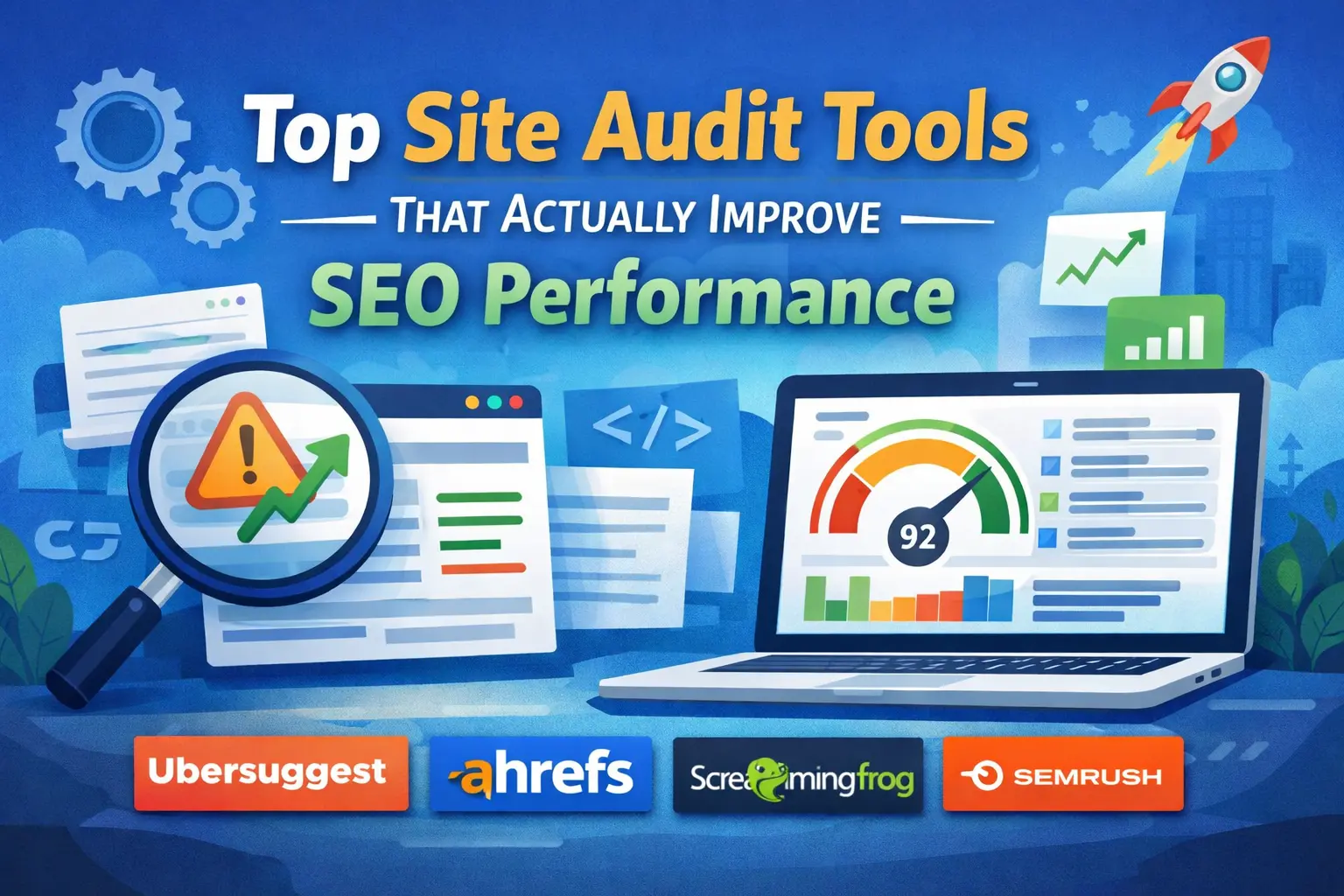
1. Ubersuggest
Ubersuggest is built for clarity. You run an audit and immediately see what is hurting your site, what matters most, and what to fix first.
The interface is clean. The issue list is prioritized. The recommendations are written in plain language instead of technical jargon. That makes it easy to hand findings to a marketer or a developer without rewriting the report.
It is especially effective for smaller and growing sites where speed and focus matter more than extreme crawl customization.
Why it ranks #1
- Clear site health overview
- Prioritized issues instead of endless warnings
- Actionable recommendations tied to SEO impact
Best fit
Small businesses, content teams, growing marketing teams
Pricing
Free tier available with affordable paid plans
Trade-off
Less granular control than enterprise-focused crawlers
Best Tools for Deep Technical SEO
These tools shine when you need raw data, deep diagnostics, and full crawl control.
2. Ahrefs Site Audit
Ahrefs Site Audit is built for SEOs who want detail. Crawl diagnostics are strong, but internal linking analysis is where it stands out.
If your site has hundreds or thousands of pages, this tool helps uncover structural issues that quietly limit performance.
Best for agencies and advanced practitioners who know what to do with the data.
3. Screaming Frog SEO Spider
Screaming Frog is pure control. You decide how the site is crawled, what is extracted, and how data is exported.
It is not friendly by default. It is powerful by design.
This is the tool developers and technical SEOs reach for when precision matters.
4. Lumar
Lumar is built for scale. Massive sites. Complex architecture. JavaScript-heavy environments.
When standard crawlers struggle, Lumar keeps going. It turns enterprise-level crawl data into prioritized insights for large teams.
This is not a casual tool. It is an enterprise platform.
Best Audit Tools for Ongoing SEO Workflows
These tools work well when audits are part of a recurring process, not a one-time event.
5. Semrush Site Audit
Semrush connects audits to the rest of your SEO efforts. Reporting, historical tracking, and integrations make it easier to keep issues from slipping through the cracks.
It is a strong choice when multiple stakeholders need visibility into progress.
6. SE Ranking Website Audit
SE Ranking strikes a balance between usability and depth. Reports are readable. Issues are prioritized. Pricing stays reasonable.
It is a practical option for consultants and SMBs who want consistency without complexity.
7. Moz Pro Site Crawl
Moz Pro focuses on clarity. Issues are explained clearly, making it easier for non-specialists to take action.
It is especially useful for in-house marketers juggling SEO with other responsibilities.
Best Tools for Visual Reporting and Buy-In
Some audits fail because no one understands them. These tools help bridge that gap.
8. Sitebulb
Sitebulb turns crawl data into visual explanations. Issues are grouped into patterns, and the why behind each problem is clearly explained.
This makes it easier to secure development time and leadership approval for fixes.
Best Tools for Quick Checks and Smaller Sites
These tools are ideal when you want fast answers, not deep technical analysis.
9. SEOptimer
SEOptimer delivers quick diagnostics on on-page SEO, usability, and basic performance.
It is useful for small sites, pre-launch reviews, or fast health checks.
10. Seobility
Seobility covers the basics with clarity. Technical issues, content gaps, and site health signals are easy to understand and act on.
It also works well for ongoing monitoring.
11. SEO PowerSuite Website Auditor
This desktop tool combines technical audits with on-page optimization guidance.
It is popular with freelancers who want page-level control and offline access.
Essential Supporting Tools
These tools do not replace a crawler, but they complete the picture.
12. Google Search Console
Google Search Console shows what Google actually sees. Indexing status, coverage issues, Core Web Vitals, and search performance all live here.
Use it to confirm whether audit findings affect visibility.
Every site should be using it.
13. GTmetrix
GTmetrix focuses entirely on performance. Page speed. Core Web Vitals. Script load.
It pairs best with an SEO crawler. Let one tool find technical issues, then use GTmetrix to diagnose speed problems.
How to Choose the Right Site Audit Tool
Instead of asking which tool is best, ask what problem you need to solve.
- Rankings slipping points to crawl and indexation tools
- Slow pages point to performance testing
- Large sites demand scalable crawlers
- Small teams benefit from clarity and prioritization
Also, be honest about your workflow. The best site audit tool is the one you will actually run regularly.
A simple monthly audit beats a complex tool that never gets opened.
Run the crawl. Fix the highest-impact issues. Re-crawl. Track trends. Validate everything with Google Search Console.
That routine matters more than the logo on the dashboard.

Harsh Mistri is a Digital Marketing Executive with over 8 years of experience in SEO, online marketing, and growth strategies. He is passionate about exploring the evolving digital landscape and enjoys writing about technology, SEO, and digital marketing.