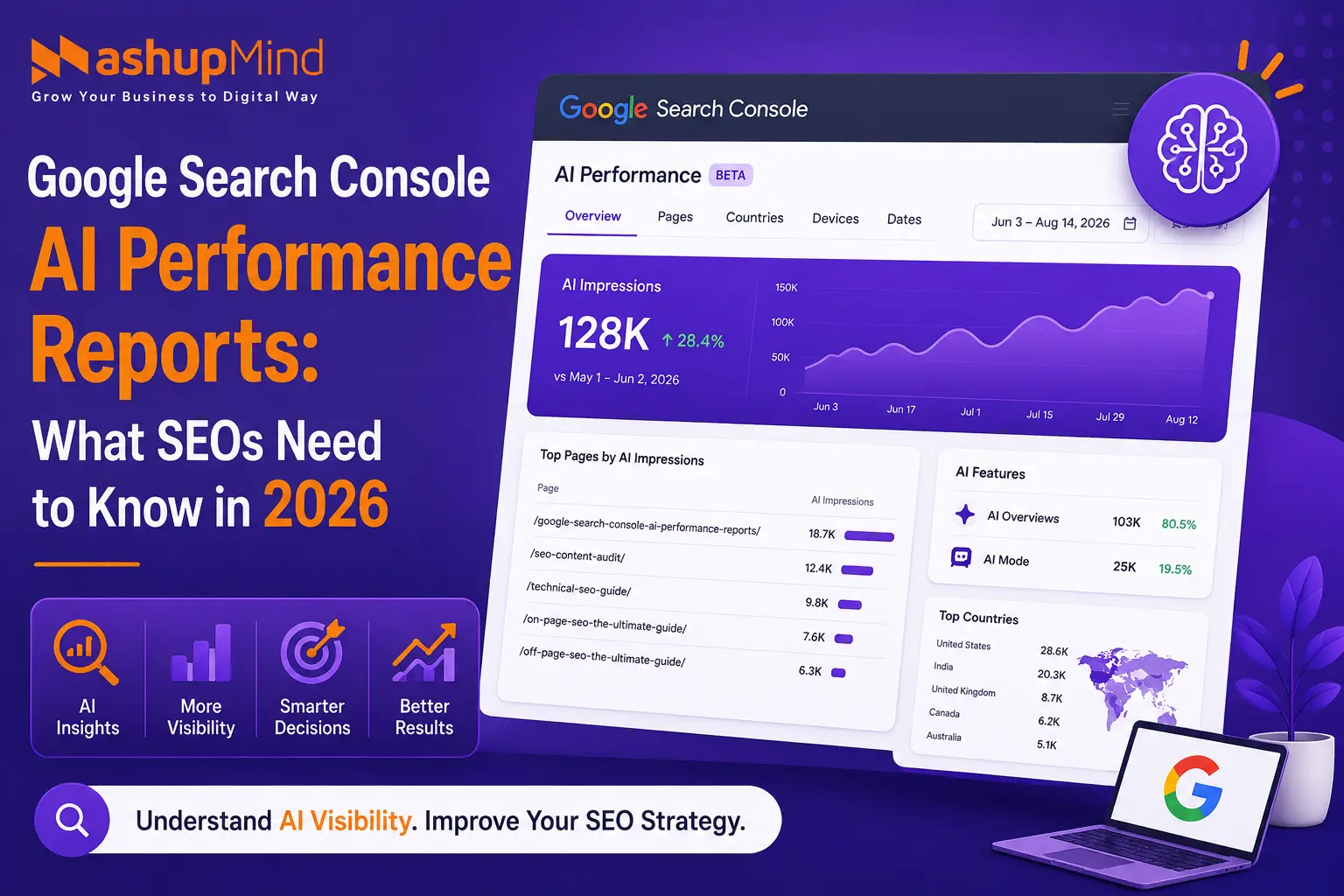
If you work in SEO, you have probably noticed that measuring organic visibility is becoming more complicated than simply checking clicks, impressions, CTR, and average position. Search itself is changing. Google can now answer more questions directly through AI-powered experiences, and users may interact with AI-generated results before they ever reach the traditional blue links.
That is exactly why Google Search Console AI Performance Reports are important in 2026. Google introduced dedicated Generative AI Performance Reports in Search Console on June 3, 2026, giving website owners a separate way to understand visibility in Google’s generative AI features. The Search report currently covers AI Overviews and AI Mode, while a separate report covers generative AI features in Discover.
I’ve always found Search Console most useful when I stop treating it as a simple traffic dashboard and start using it to answer a practical question: What is Google showing, where is it showing it, and what should I do next? The new AI reports make that process much more interesting because we can now look specifically at visibility coming from Google’s generative AI experiences.
So let’s break down what these reports actually show, what the data means for SEO, and how I would use them as part of a real SEO workflow.
What Are Google Search Console AI Performance Reports?
Google’s new Generative AI Performance Reports are dedicated reports designed to show how your website is appearing in Google’s generative AI features.
Google launched them on June 3, 2026, with separate reporting for:
- Google Search generative AI features
- Google Discover generative AI features
The Search report currently includes:
- AI Overviews
- AI Mode
The Discover report focuses on generative AI features appearing within Discover. Google says the reports are being rolled out gradually to a subset of websites rather than being immediately available to every Search Console property.
That last point is important.
If you don’t see the report inside your Search Console account, it does not automatically mean something is wrong with your website.
Google is still rolling the feature out, and eligibility can also depend on whether a site has received enough impressions from the relevant generative AI features.
Why Did Google Add an AI Performance Report?
This is the part that matters most to SEOs.
For years, we could look at Search Console and ask:
How many people saw my page?
How many clicked?
Which queries generated impressions?
Which pages are growing?
Those questions are still important.
But AI-powered search introduces another layer:
Is Google using or showing my website within its AI-generated search experience?
That is a different visibility question.
AI Overviews can provide a generated answer with links to supporting web resources. AI Mode is even more conversational and can break a user’s question into subtopics and search for information across those areas. Google explains that links appearing in these experiences can generate Search Console impressions and clicks under the applicable measurement rules.
The new report gives SEOs a much cleaner way to isolate this type of visibility.
What Data Does the AI Performance Report Show?
Google’s announcement highlights several useful dimensions.
1. Impressions
This is the primary metric currently exposed in the dedicated generative AI reports.
It tells you how often links from your website were shown within supported generative AI experiences.
For Search, this relates to AI Overviews and AI Mode.
For Discover, it relates to generative AI features in Discover.
One thing I would not do is immediately compare AI impressions with traditional Search impressions and conclude that one is automatically better.
They’re measuring different visibility contexts.
2. Pages
This is probably one of the most useful dimensions for an SEO.
You can identify which URLs are appearing in generative AI features.
That’s where the report becomes actionable.
Suppose you have 500 indexed articles but only 15 pages are receiving meaningful AI visibility.
That tells you something.
Those pages may have:
- Stronger topical relevance
- Better content depth
- Better search intent alignment
- Stronger authority
- Better internal linking
- More useful information
- Better overall visibility
Instead of guessing what Google considers valuable, you can study the pages already getting visibility and look for patterns.
3. Countries
The report also allows you to understand where your generative AI impressions are coming from.
This is particularly useful for:
- International SEO
- SaaS companies
- Multi-location businesses
- Ecommerce websites
- Agencies targeting multiple markets
A page might perform strongly in one country but receive very little AI visibility elsewhere.
That can lead to a much more focused international SEO strategy.
4. Devices
For the Search generative AI report, Google also provides device information.
You can use this to understand whether your AI-related visibility is coming primarily from mobile or desktop users.
This matters because the way users interact with search can differ substantially across devices.
If AI visibility is disproportionately mobile, for example, I’d pay extra attention to:
- Mobile page experience
- Content scannability
- Heading structure
- Above-the-fold clarity
- Page speed
- Mobile UX
5. Dates and Trends
You can analyze the data over time using different date granularities.
Google says the new reports support hourly, daily, weekly, and monthly granularity.
This creates an interesting opportunity for SEO testing.
Instead of asking only:
“Did organic traffic increase?”
you can start asking:
“Did AI visibility change after we improved this content cluster?”
That’s a much more useful question.
How Is the AI Performance Report Different From the Normal Search Console Report?
This is where many SEOs could get confused.
The normal Search Console Performance report gives you an overall view of your site’s performance in Google Search.
You can analyze things like:
- Clicks
- Impressions
- CTR
- Average position
- Queries
- Pages
- Countries
- Devices
- Search appearance
Google’s standard Performance report continues to provide this broader view.
The new AI Performance Report is different because it gives you a dedicated view of visibility generated through Google’s generative AI features.
Think of it like this:
Traditional Search Console report
→ Overall Google Search performance
AI Performance Report
→ Visibility specifically associated with supported generative AI features
You shouldn’t replace the first with the second.
You should use both.
AI Impressions Don’t Mean the Same Thing as Traditional Impressions
This is an important distinction.
Google’s documentation says an impression in AI Overviews is counted when the relevant link is scrolled into view or expanded into view.
For AI Mode, standard impression rules apply, while clicks on external links count as clicks. Google also explains that AI Mode can break questions into subtopics and search for them simultaneously.
So if you see AI impressions increasing, don’t automatically interpret that as:
“My traffic will definitely increase by the same percentage.”
It won’t necessarily.
AI visibility and website traffic are related, but they’re not identical metrics.
That’s why I’d treat AI impressions as a visibility signal, not a direct replacement for organic clicks.
Does the AI Report Show AI Search Queries?
This is one area where SEOs need to be careful.
The current dedicated Generative AI Performance Report is centered around impressions and dimensions such as pages, countries, devices, and dates. Google’s documentation does not describe the report as providing a complete new query-level dataset specifically showing every prompt or question that caused an AI response.
So don’t expect to open the report and see something like:
“User asked: What is the best SEO agency for SaaS?”
That isn’t what this report currently provides.
Instead, use the AI report alongside your normal Search Console query data, analytics, content analysis, and SEO research.
How I Would Actually Use the AI Performance Report for SEO
This is where the report becomes useful.
I wouldn’t just open it once, look at the numbers, and close Search Console.
I’d build a simple workflow.
Step 1: Find Your AI-Visible Pages
Start with the Pages dimension.
Look at which URLs are receiving the most AI impressions.
Export the data if necessary.
Then create a simple list:
| Page | AI Impressions | Topic | Search Intent |
|---|---|---|---|
| Page A | High | SEO | Informational |
| Page B | Medium | Local SEO | Commercial |
| Page C | Low | Link Building | Informational |
Now you have something to investigate.
Step 2: Look for Patterns
Take your top AI-visible pages and compare them.
Ask:
- Are they comprehensive?
- Do they answer questions directly?
- Are they well internally linked?
- Do they have strong backlinks?
- Are they updated regularly?
- Do they cover the topic thoroughly?
- Do they provide original information?
- Are they clearly written?
- Do they satisfy the search intent?
This is where your existing SEO content audit process becomes useful.
You’re no longer auditing content simply because a page has low traffic.
You’re also asking:
Why is one page gaining AI visibility while another similar page isn’t?
Step 3: Compare AI Visibility With Traditional SEO Performance
This is one of my favorite comparisons.
Take a page that’s doing well in normal Search and check its AI visibility.
Then take a page that’s doing well in AI features and compare its traditional Search performance.
You may discover different patterns.
For example:
Page A
High Google clicks
High AI impressions
This could indicate strong overall search visibility.
Page B
High Google impressions
Low clicks
High AI impressions
This is interesting.
The page may be benefiting from AI exposure even when traditional SERP CTR isn’t particularly strong.
Page C
Low traditional visibility
Low AI visibility
This may need a deeper SEO review.
This is why I wouldn’t optimize for AI visibility separately from SEO.
I’d look at the entire search ecosystem.
Step 4: Improve Pages That Have Potential
Don’t immediately rewrite every page.
Instead, prioritize pages that already show some signs of potential.
For example:
- Good traditional impressions
- Some AI impressions
- Relevant topic
- Strong business value
- Existing backlinks
- Good conversion potential
Then improve the page.
Look at:
- Search intent
- Content gaps
- Internal links
- Heading structure
- First-hand experience
- Supporting evidence
- Original insights
- FAQs
- Updated statistics
- Examples
- Author information
If the page is already ranking, don’t destroy what works just because you want to add more content.
Improve the page with purpose.
Internal Linking Matters More Than Ever
One thing I would pay close attention to when analyzing AI-visible pages is internal linking.
Google needs to understand how your content relates across your website.
For example, if you’re building an SEO topic cluster, you might connect:
Technical SEO → On-Page SEO → SEO Content → Link Building → Local SEO → AI Search
MashupMind already has supporting resources such as its Technical SEO Guide, On-Page SEO Guide, Off-Page SEO Guide, and SEO Writing Tips.
These aren’t random links.
They can create a connected topical structure.
And that’s what I want from internal linking: context, not decoration.
Use AI Performance Data to Find Content Opportunities
Here’s another practical use.
Suppose you discover that several pages around a particular topic are getting AI impressions.
That tells you the topic is already gaining visibility in Google’s generative search experiences.
Now ask:
What related questions haven’t we covered yet?
For example, if pages around technical SEO are getting AI visibility, you could create supporting content around:
- Technical SEO audits
- Crawl budget
- Indexing problems
- Canonicalization
- JavaScript SEO
- Structured data
- Internal linking
- Site architecture
The objective isn’t to publish 50 articles just because one page performs.
It’s to build useful topical depth around areas where your site already demonstrates relevance.
AI Performance Reports and Content Updates
I also wouldn’t use AI impressions as a reason to constantly edit content.
SEO doesn’t work like that.
If a page is performing well, don’t keep changing it every week.
Instead, look for meaningful update opportunities:
- Outdated information
- Broken references
- Old screenshots
- Old statistics
- Missing examples
- New developments
- Better explanations
- New internal links
- New supporting content
Google’s Search Console documentation also notes that reporting data can occasionally be affected by logging issues, so unusual changes should be investigated before making major SEO decisions.
That’s especially important when you’re analyzing short time periods.
Don’t Panic If Your AI Report Isn’t Available Yet
If you log into Search Console and can’t find the report, don’t immediately assume your website has an SEO problem.
Google is currently rolling these reports out to a subset of website owners. Google also says that a property may not see the report if it hasn’t received enough impressions in the relevant generative AI features.
So there are several possibilities:
- Your property hasn’t received access yet.
- The report hasn’t fully rolled out to your property.
- Your site hasn’t received enough relevant impressions.
- Your site may have been excluded from relevant generative AI features.
The important thing is not to confuse feature availability with SEO performance.
What About Google Discover’s AI Performance Report?
Don’t overlook this.
Google also launched a separate Generative AI Performance Report for Discover.
The Discover report helps you understand:
- AI-generated Discover impressions
- Pages receiving those impressions
- Countries
- Dates
Google explains that Discover impressions are counted when the item is scrolled into view, subject to the applicable measurement rules.
This is particularly interesting for publishers and websites that already receive Discover traffic.
If your website is content-heavy, I’d monitor Search and Discover separately rather than combining them into one generic AI visibility number.
Does This Mean SEO Is Dead?
Absolutely not.
If anything, I think this update reinforces the importance of having solid SEO fundamentals.
Google’s own guidance around AI search continues to emphasize the importance of established SEO practices.
That means you still need:
- Crawlable pages
- Indexable content
- Strong site architecture
- Helpful content
- Clear internal linking
- Relevant backlinks
- Good technical SEO
- Search intent alignment
- Useful page titles
- Strong content structure
MashupMind already covers the foundation in its Modern SEO Practices and Technical SEO Guide.
AI search doesn’t replace those fundamentals.
It adds another layer to measure.
How I Would Build an SEO Workflow Around the New Report
If I were managing a website today, I’d keep the workflow simple.
Monthly
Check:
1. AI impressions
Are they increasing, decreasing, or stable?
2. Top AI-visible pages
Which URLs are getting exposure?
3. Countries
Are the right markets seeing the content?
4. Devices
Is visibility concentrated on mobile or desktop?
5. Page changes
Did AI visibility change after significant content or technical updates?
6. Traditional Search performance
Did clicks, impressions, CTR, or rankings change at the same time?
7. Content opportunities
Are there obvious topics that deserve supporting content?
This creates a much better picture than obsessing over one metric.
What SEOs Should Not Do With AI Performance Data
There are a few mistakes I’d avoid.
Don’t Chase AI Impressions Alone
More impressions are useful, but they aren’t the final business goal.
A page with 100,000 impressions and no conversions isn’t automatically better than a page with 5,000 highly relevant impressions.
Don’t Rewrite Everything
If a page is already performing, don’t destroy it in an attempt to “optimize for AI.”
Improve what needs improvement.
Don’t Assume AI Visibility Equals Rankings
Being visible in an AI feature isn’t the same as holding a traditional blue-link ranking.
Treat them as related but distinct search experiences.
Don’t Ignore Conversion Data
Ultimately, SEO should contribute to business outcomes.
Connect Search Console insights with:
- Analytics
- Leads
- Sales
- Sign-ups
- Revenue
- Assisted conversions
Don’t Build an “AI-Only SEO Strategy”
This is probably the biggest mistake.
AI visibility should become part of your SEO strategy—not your entire SEO strategy.
What This Means for SEO in 2026
For me, the biggest takeaway from Google’s new reporting isn’t simply that Search Console has another report.
It’s that Google is giving website owners a clearer way to observe a new form of search visibility.
Previously, SEOs had to infer a lot about AI search visibility from traditional data and third-party tools.
Now Google is giving Search Console a dedicated reporting layer for generative AI features.
That makes AI visibility much easier to incorporate into an actual SEO reporting workflow.
And I expect this area to become more important as Google’s AI search experiences continue evolving.
At the same time, I wouldn’t throw away everything we’ve learned from traditional SEO.
The fundamentals still matter.
Technical accessibility matters.
Content quality matters.
Internal linking matters.
Topical relevance matters.
Authority matters.
And, perhaps most importantly, being genuinely useful still matters.
Final Takeaway
The Google Search Console AI Performance Reports are one of the more important SEO measurement updates of 2026 because they give SEOs a dedicated view into visibility generated through Google’s AI-powered search experiences.
As of August 2026, the Search report covers AI Overviews and AI Mode, while Google also provides a separate generative AI report for Discover. The rollout is still being expanded to more properties, so not everyone will have access yet.
My recommendation is simple: don’t treat this as another vanity dashboard.
Use it to find which pages are gaining AI visibility, understand what those pages do well, compare AI exposure with traditional Search performance, identify content gaps, and make smarter decisions about what to improve next.
The SEO game in 2026 isn’t about choosing between Google Search and AI search.
It’s about building a website that can perform across both.
And now, Search Console is finally giving us better data to understand that shift.
FAQs
What is the Google Search Console AI Performance Report?
It is a dedicated Search Console report that shows website visibility in Google’s generative AI features. The Search version currently includes AI Overviews and AI Mode, while Discover has its own generative AI performance report.
When did Google launch the AI Performance Reports?
Google announced the new Generative AI Performance Reports on June 3, 2026.
Why can’t I see the AI Performance Report in Search Console?
Google is gradually rolling the report out to a subset of websites. A property may also lack access because it hasn’t received enough impressions from the relevant generative AI features.
Does the AI Performance Report show AI Overviews?
Yes. Google’s Search generative AI report currently includes impressions from AI Overviews and AI Mode.
Does AI Mode traffic appear in Google Search Console?
Yes. Google says clicks on external links in AI Mode count as clicks, and impressions follow the applicable Search measurement rules.
Does Google Search Console show the exact AI prompts users asked?
The dedicated report currently focuses on generative AI visibility and dimensions such as pages, countries, devices, and dates. Google does not describe it as a complete report of every AI prompt that triggered your site.
Should I change my SEO strategy because of AI search?
No—not completely. AI search should be added to your SEO strategy, while technical SEO, helpful content, internal linking, authority, search intent, and other established SEO fundamentals remain important.

Harsh Mistri is a Digital Marketing Executive with over 8 years of experience in SEO, online marketing, and growth strategies. He is passionate about exploring the evolving digital landscape and enjoys writing about technology, SEO, and digital marketing.